 |
We are pleased to announce the release of QtitanComponents 2026.3, the latest update to its suite of professional UI components for the Qt framework. This release features major updates across core modules, including QtitanDataGrid 10, QtitanRibbon 8, QtitanNavigationUIDesign 5, QtitanDocking 6, and QtitanChart 8.
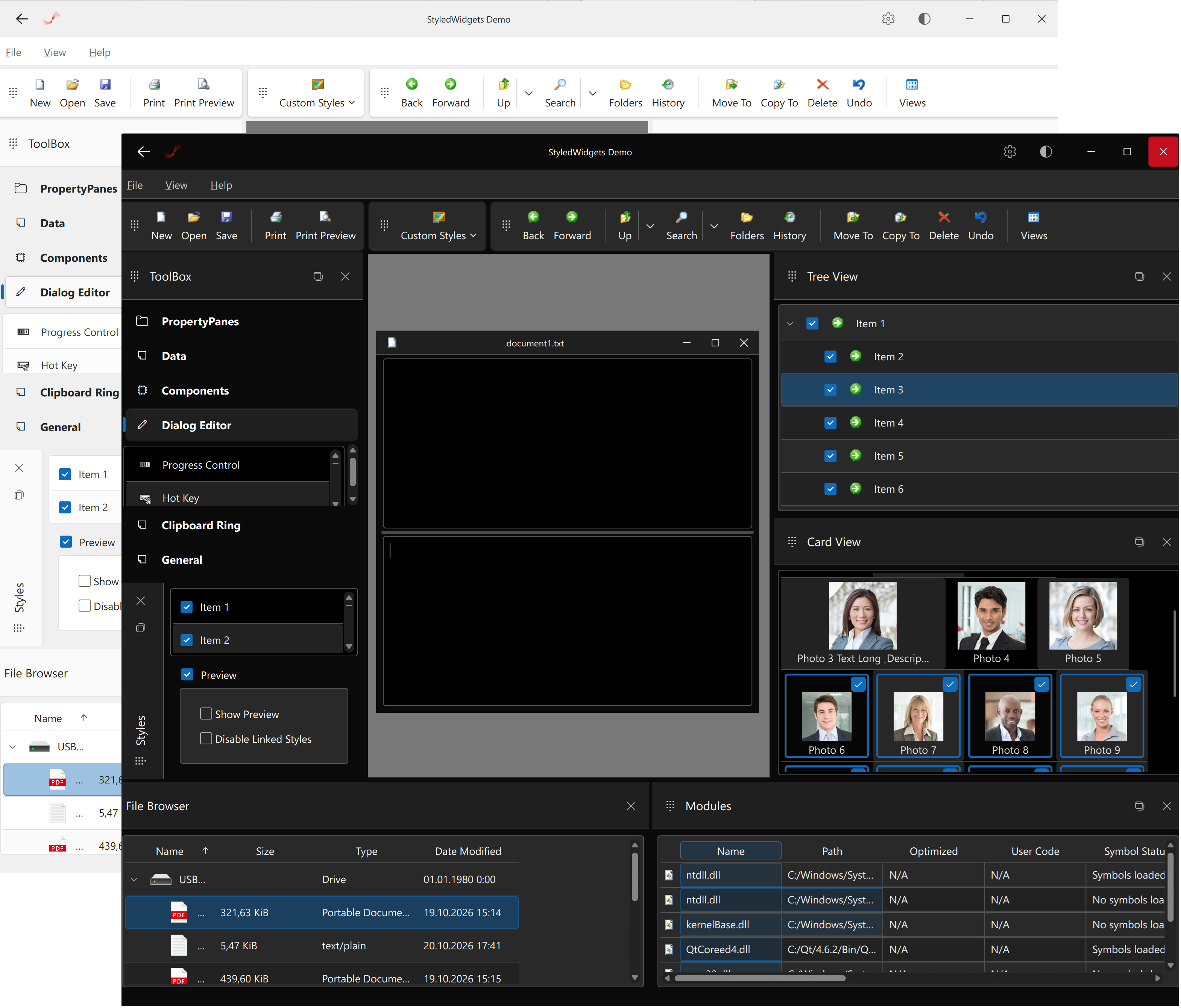
The key highlight of this release is a complete evolution of the UI styling workflow driven by the company's proprietary DC Studio Tool. Developer Machines has shifted away from manual UI coding, moving to a fully automated design-to-code pipeline. As a direct result, QtitanComponents 2026.3 introduces the Microsoft 365 Style with Dark and Light palettes, built strictly on the Windows Fluent Kit 2 guidelines. The style is designed entirely in Figma and exported to Qt using the DC make utility (included in DC Studio Tool), which converts Figma documents into XML/FastInfoset stream containing all necessary primitives, images, states, and metrics. This ensures flawless High-DPI (HDPI) support, even on older versions of Qt 5.
Core Component & Architecture Improvements
In addition to the new styling workflow, version 2026.3 brings significant stability improvements, bug fixes, and deep architectural refactoring:
- Microsoft 365 Style Capabilities: We have added full animation support for key UI elements to deliver a fluid and modern user experience. Smooth transitions and dynamic animations are now integrated into buttons, icons, tabs, table columns, and other core controls. The new Microsoft 365 style responds perfectly to QPalette::Accent color changes. Simply update it for the entire application, and all checkboxes, radio buttons, input highlights, and other UI elements will instantly shift to match your new accent color.
- QtitanDataGrid 10: The mechanism for embedding native QWidgets into grid cells has been completely re-engineered. The legacy Qtitan::BackstageWidget class - which relied on private Qt headers and frequently broke between Qt versions - has been completely decoupled from the grid architecture.
- QtitanRibbon 8: The Ribbon customization mechanism and its dialog have been significantly upgraded, including the addition of a highly requested Apply button. Performance and reliability of the Qtitan::RibbonSystemMenu have also been improved.
- Windows Platform Enhancements: The implementation of Acrylic and Mica effects has been completely rewritten. We have stopped using the WinRT layer in favor of pure native WinAPI. This removes the previous WinRT limitations that blocked internal Qt mechanisms for OpenGL and QRhi rendering.
- Extended Compatibility: This release officially introduces full support for Qt 6.12.0, along with numerous under-the-hood stability fixes.
QtitanComponents 2026.3 sources are now available for download in the user's personal account.
|